Home / Products / Conference Systems / Full-digital smart conference software TS-0400MR Software V3.187
Full-digital smart conference software TS-0400MR Software V3.187

Full-digital smart conference software TS-0400MR Software V3.187

Full-digital smart conference software TS-0400MR Software V3.187
Conference Systems · Digital Conference

The software provides quick access to meeting creation, device management, global volume control, and meeting overview, enabling efficient operation and maintenance and one-click scheduling. The system supports multiple speaking modes and flexible meeting room configurations, allowing for intelligent management and parameter adjustments based on different scenarios. It can precisely adjust the host audio processor to effectively improve sound clarity and create a high-fidelity, low-latency meeting experience.

Features

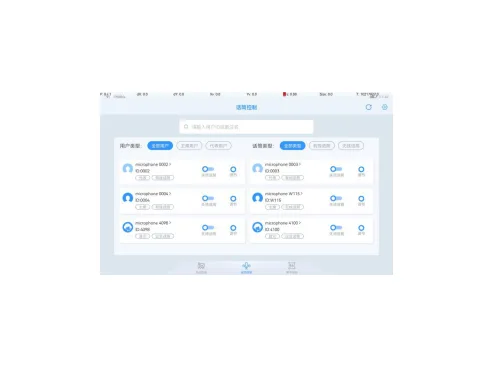
  • It supports scanning online devices (including: all-digital smart conference hosts, all-digital smart conference extension hosts, all-digital smart conference network audio processors, microphones, and interpreter devices) and centrally managing them on a unified platform; it also supports viewing device status.
  • It supports quick access to homepage functions, including creating meetings, device management, global volume control, viewing ongoing meetings, viewing and managing unprocessed meeting services, and device and meeting duration statistics.
  • It supports viewing meeting information (meeting name, status, meeting room, meeting start and end time) in list view and calendar view, as well as functions such as starting a meeting, ending a meeting, resetting a meeting, modifying a meeting, deleting a meeting, and searching for a meeting; it also supports starting multiple meetings simultaneously.
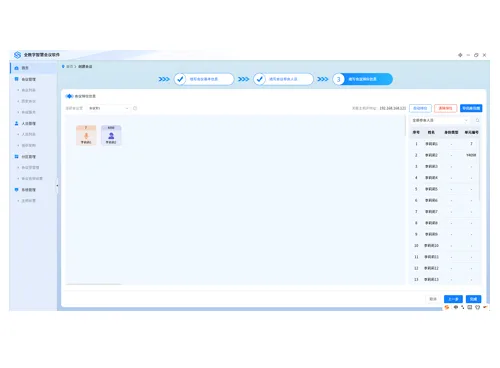
  • It supports viewing and managing meeting agendas, attendees, simulated seating arrangements, nameplates and IC cards, camera testing, and other functions.
  • It supports custom ranking, including clearing the ranking, automatic ranking, dragging and dropping the ranking, and unbinding the ranking.
  • It supports adding check-in, voting, projection, and conference logos, as well as previewing, modifying, deleting, sorting, starting, and ending each agenda item. It can also be searched based on the agenda title.
  • It supports creating multiple check-ins, setting a quorum, a check-in countdown, and selecting two different screen projection options. It also supports customizing the screen projection font (9 types), font size, font color, background color, resolution, and whether the template content is displayed.
  • It supports creating multiple polls and setting poll names, poll types (8 types), custom poll options, voting methods, vote counting methods, name recording methods, display methods (text, bar chart, pie chart), number of votes counted, vote pass rate, and countdown. It also supports customizing the font (9 types), font size, font color, background color, resolution, and whether the template content is displayed.
  • It supports creating multiple projections and allows setting projection names, text quantity, fonts (9 types), font size, font color, background color, background image, resolution, and layout settings. The position and content of the projection text can be freely dragged and edited.
  • It supports creating individual logos and allows setting the logo name, text quantity, font (9 types), font size, font color, background color, background image, resolution, and layout settings. Users can freely drag and edit the position and content of the projected text.
  • It supports viewing and managing check-in details, including functions such as starting check-in, ending check-in, assisting with check-in, supplementing check-in, and switching views.
  • It supports viewing and managing voting details, including functions such as starting a vote, ending a vote, displaying projection results, and switching projection methods.
  • It supports viewing and managing historical meetings; it supports cloning, deleting, and searching historical meetings; it supports viewing meeting attendance information, voting information, meeting summary, and log records; and it supports exporting and printing historical meeting information.
  • It supports nameplate management, including broadcast nameplates, one-click nameplate clearing, and setting the background color, content alignment, font size, font color, and whether template content is displayed for the nameplate's name, organization, and position.
  • Supports meeting service management; supports custom service types, one-click confirmation, one-click deletion, export statistics and other functions; supports pop-up notifications in the lower right corner of the screen and red dot notifications for meeting service tags for newly initiated meeting services; supports viewing and exporting historical meeting services.
  • It supports personnel management, including adding, deleting, modifying, searching, importing, and exporting personnel. The import and export format is xlsx.
  • Supports organizational structure management.
  • Supports managing meeting rooms on the conference host; a single host can create up to 8 meeting rooms; supports viewing the number of units in each meeting room; supports adding, modifying, and deleting meeting rooms.

Request a quote for this product