Home / Products / Conference Systems / TS-8304R1

TS-8304R1

Paperless Conference System Client Software V3.0
TS-8304R1
Conference Systems · Paperless Conference

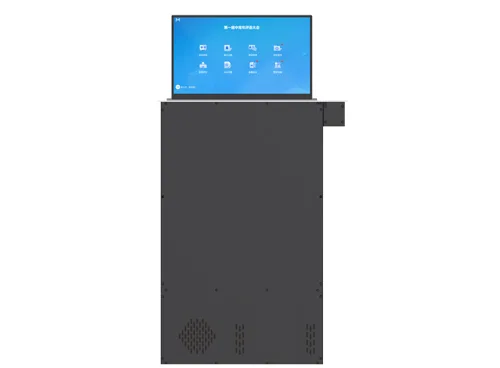
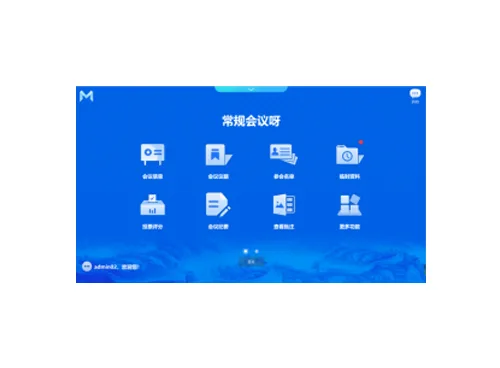
The client software of paperless conference system supports in-conference file push, file distribution, browsing and reading, file annotation, sign-in, voting and scoring, conference minutes, electronic whiteboard, electronic nameplate, conference communication, conference service, video signal interconnection, conference management, screen sharing, large-screen video matrix, large-screen VOD and other applications. Working with a paperless lift, it can be applied to various high-end conference occasions, as well as important government affairs, business, enterprises and institutions and large-scale event venues.

Feature:

Features

  • The software runs on the windows operating system, and the system is reliable and stable.
  • Support conference information display page, you can directly view the conference agenda, conference introduction, conference host and other information.
  • Support document reading, support various file formats, including common formats doc/docx/xls/ xlsx /ppt /pptx/pdf /txt/jpg/png, etc. Support permission setting function, participants can only view files that they have permission to view.
  • Support viewing the list of participants and the seat map, and support scaling up/down to view the seat map.
  • Support document annotation function, support common document formats (doc/docx/xls/xlsx/ppt/pptx/pdf/png/jpg), annotate and re-annotate and save document pictures, and support multi-person interactive annotation.
  • Support using a U disk to upload conference materials, read files or upload and share to other participants, and upload files can be saved in the server and local terminal.
  • Support electronic whiteboard function, support local whiteboard or multi-person interactive whiteboard. The electronic whiteboard supports functions such as background picture inserting, graphics drawing, text input, line width adjustment, brush color adjustment, stroke erasing, one-key clearing, and undo.
  • Support conference communication, participants can conduct real-time conference communication with one or more people.
  • Support screenshot annotation, single or multi-person annotations. Support functions such as graphic drawing, text input, line width adjustment, brush color adjustment, stroke erasing, one-key clearing, and undo. Annotation results can be saved to the server and automatically archived after the conference.
  • Support paperless conference mode and ordinary computer mode, and switch modes flexibly during the conference.
  • During the conference, you can ask for the conference services, including tea, pen, paper, etc. You can also enter your personal service demands. After the service demand is sent, it will display “Waiting”; when the logistics personnel finish the processing, it will display “Finished”.
  • The built-in browser supports browsing the Ethernet network, and can access OA, mailboxes, etc. They can be set up in the background. Click to open the configured webpage directly.
  • Support screen broadcast, participants can share the local screen to other participants during the conference, support cross-platform (windows/Android/Linux) broadcast; screen broadcast/document lecturer supports application mode, and the screen broadcast can only be initiated with the approval of the conference administrator. The screen broadcast supports a timing function, including countdown or timekeeping, and whether to synchronize to the large screen.
  • Support asynchronous browsing, participants can freely use other functions of the terminal through asynchronous browsing, and also support asynchronous browsing in the form of floating window, convenient for users to view other conference documents or content when viewing the synchronous screen.
  • Support conference VOD, support 1080P, 4K video terminal local VOD. Support real-time viewing of server live video.
  • Support the function of personal center (personal space), you can view the conference information, agenda files, annotation content, and conference minutes of the conferences you have participated in.
  • Support the function of conference notes, make notes at any time during the conference, and save and download it locally. (recommended to be equipped with a keyboard and mouse)
  • Support calculator function, invoke the system calculator to perform addition, subtraction, multiplication and division operations.

Request a quote for this product